
Product overview · November 2026
Your local pharmacy, delivered.
Three apps and one admin portal that take an order from a patient's phone to a verified handover at their door.
How MedHub works
One order, four views, updated live
Every MedHub order moves through the same five steps. Each app sees the same order and updates the moment someone else acts, so nobody has to phone to ask where things are.
One app serves customers, pharmacies and drivers; the account type chosen at sign-in decides which experience opens. MedHub Admin is a separate web portal.
App 1
The customer app
Medicine and pharmacy products ordered from the couch, paid securely and signed for at the door.
Customer app · Ordering
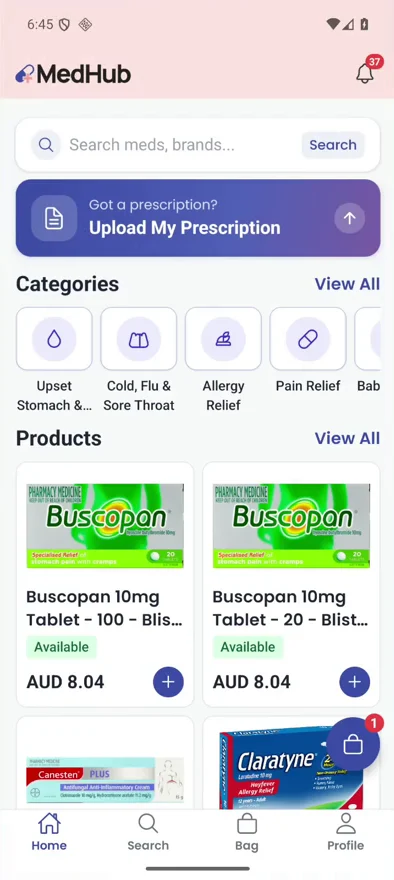
Shop or snap a script
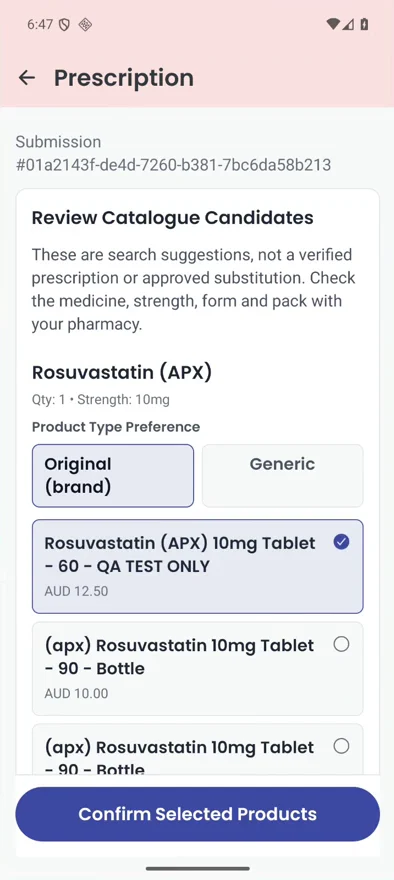
Customers browse collections or search the catalogue. For a prescription, they photograph the script; MedHub reads it and suggests matching products, including the printed strength.
Features
- Categories, collections and search
- Prescription photo upload with automatic reading
- Brand or generic choice for each medicine
- Prices shown before anything is added
Benefits
- No queue and no second trip for a script
- Results in seconds, not a phone call
- The pharmacist still checks every item
- Unpriced items can't slip through as free
Customer app · Checkout
Clear totals, secure payment
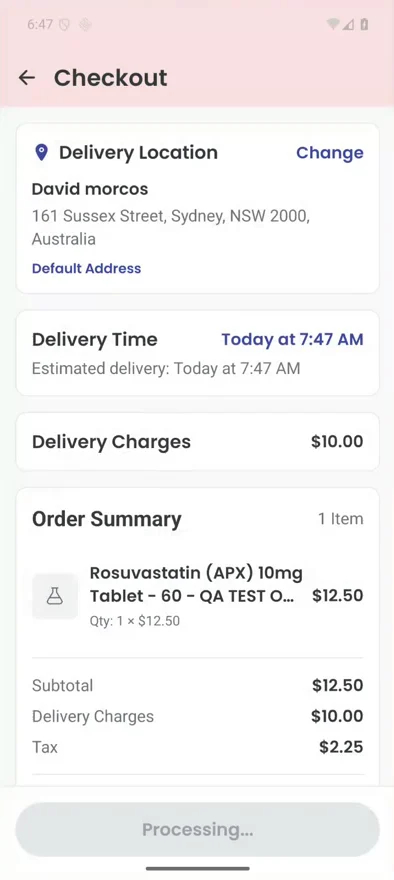
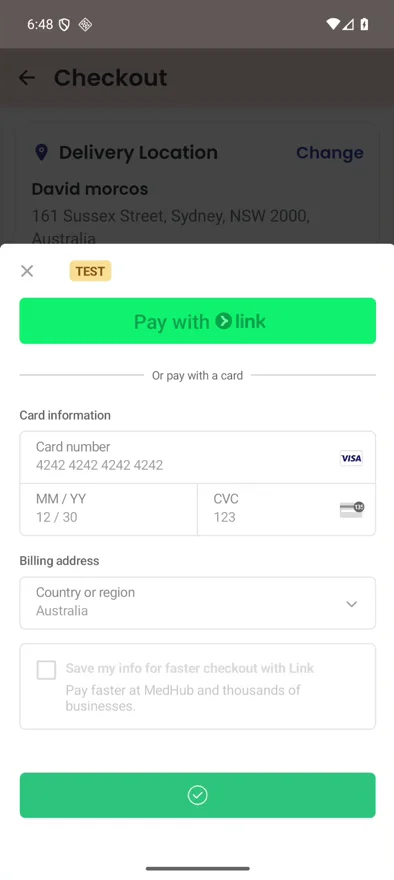
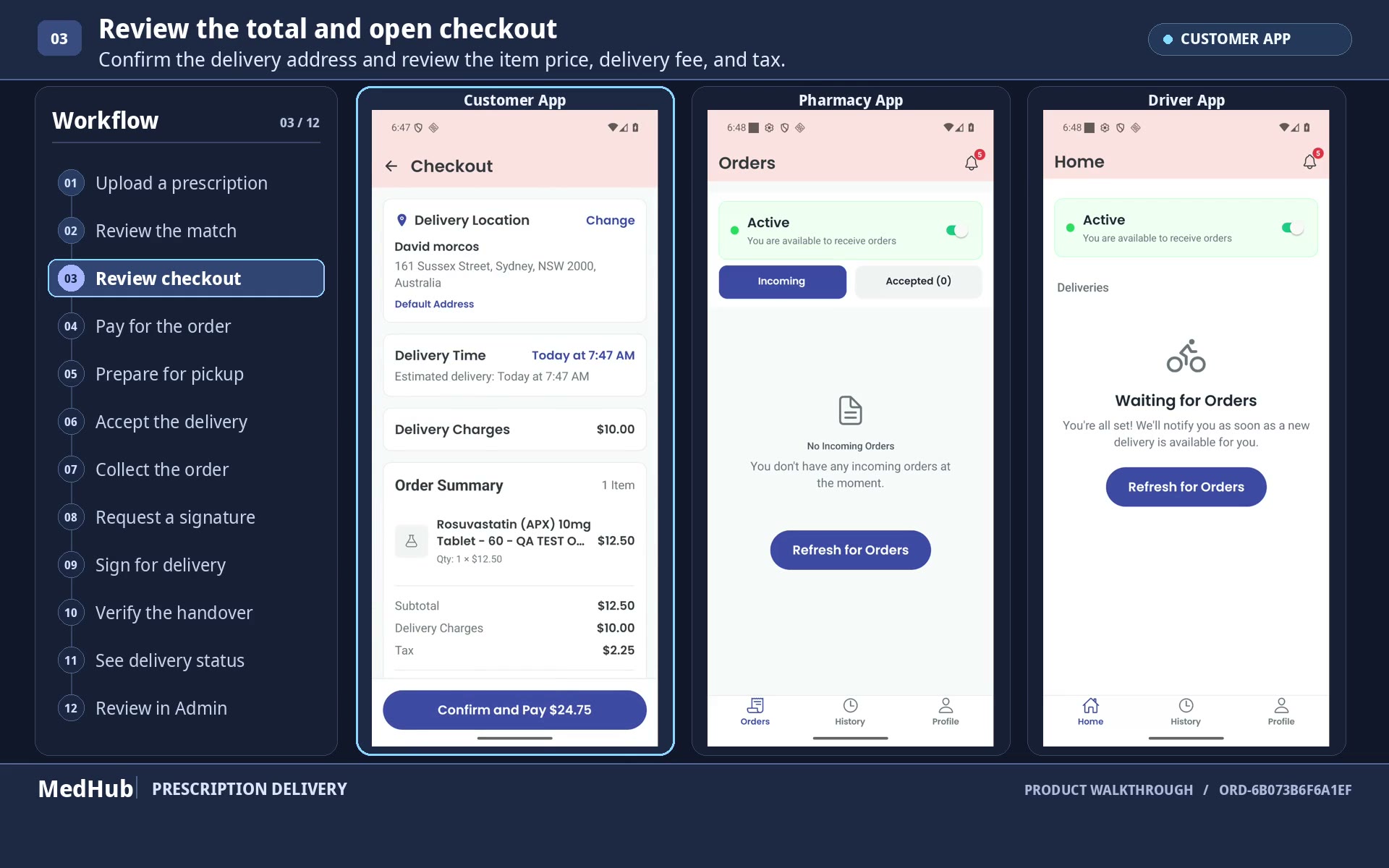
Checkout shows the delivery address, the estimated delivery time and every cost before the customer pays with a card in the app.
Features
- Saved address book with a default
- Subtotal, delivery, tax and total up front
- Card payment through Stripe
- Retry a failed or cancelled payment on the same order
Benefits
- No surprises at the door
- Card details never stored by MedHub
- Nothing goes to a pharmacy until payment succeeds
- No duplicate orders from a second attempt
Customer app · Tracking
Know where the order is
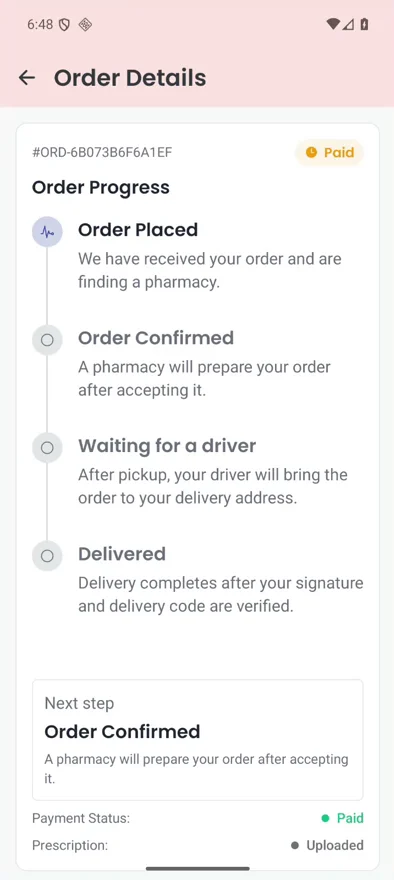
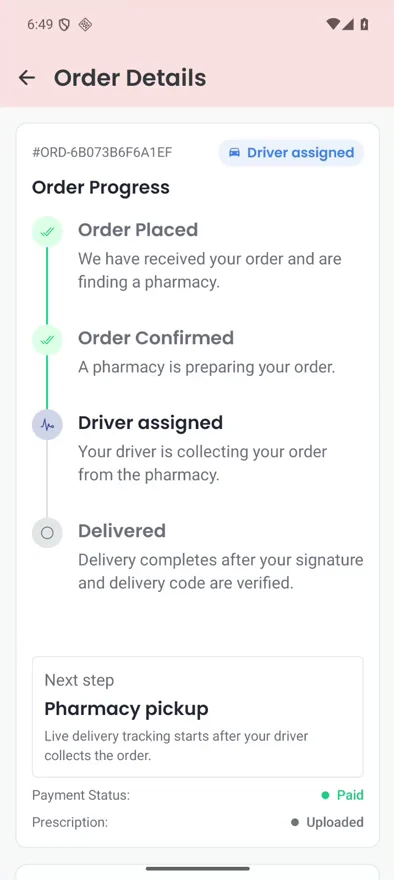
The order timeline updates on its own, and once a driver has the order the customer can watch them approach on a map.
Features
- Live order timeline: placed, confirmed, on the way, delivered
- Driver location and arrival estimate on a map
- Push notifications at each step
- Order chat with the pharmacy and driver
Benefits
- No calls to ask where the order is
- The customer can plan to be home
- Questions answered inside the order
App 2
The pharmacy app
New orders arrive ready to fill. The pharmacy prepares them, and MedHub handles payment and delivery.
Pharmacy app
Accept, prepare, release
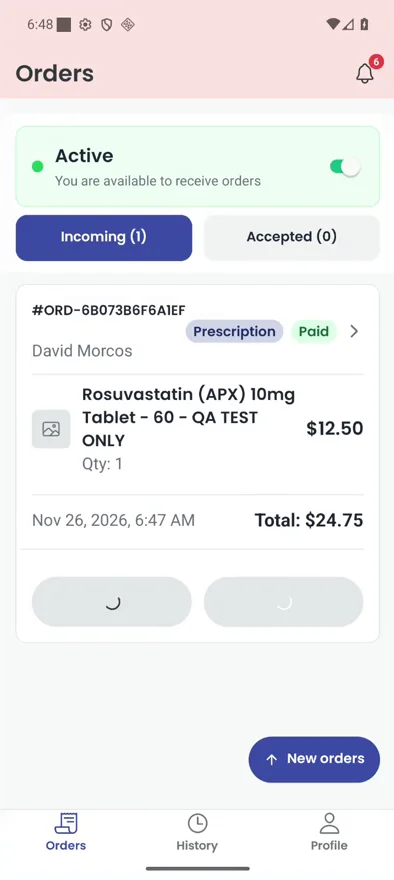
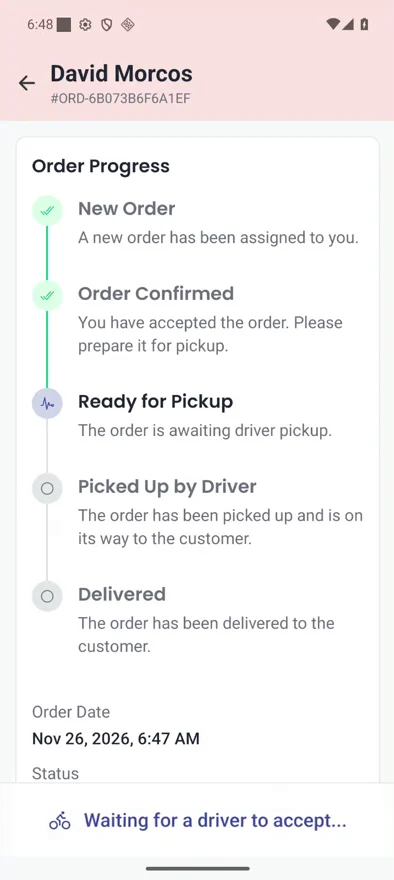
Paid orders arrive with a notification. The pharmacist checks the items and script, accepts, prepares the order and marks it ready. MedHub finds the driver.
Features
- Active switch to start and stop taking orders
- Incoming list, labelled prescription or standard
- Script image alongside the order items
- One-tap accept and ready for pickup
- Live driver tracking, history, chat and disputes
Benefits
- Orders arrive already paid
- No drivers to find or manage
- Every order is traceable through to delivery
- The pharmacist stays in control of dispensing
App 3
The driver app
Clear offers, turn-by-turn pickup and drop-off, and a handover that proves the right person received the medicine.
Driver app
Accept, collect, hand over
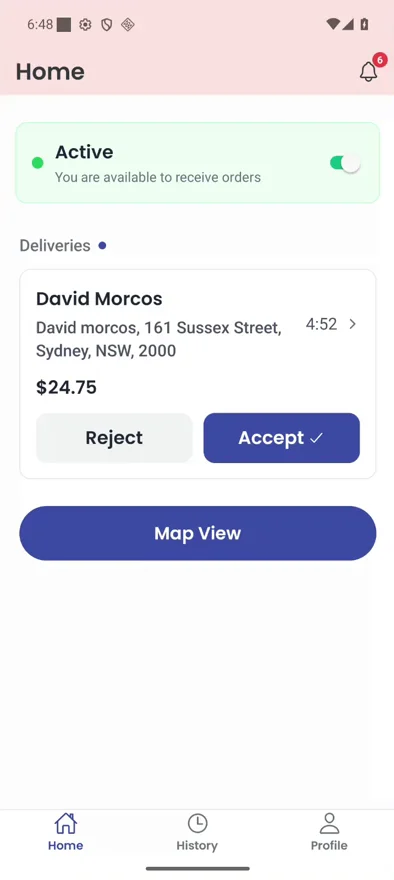
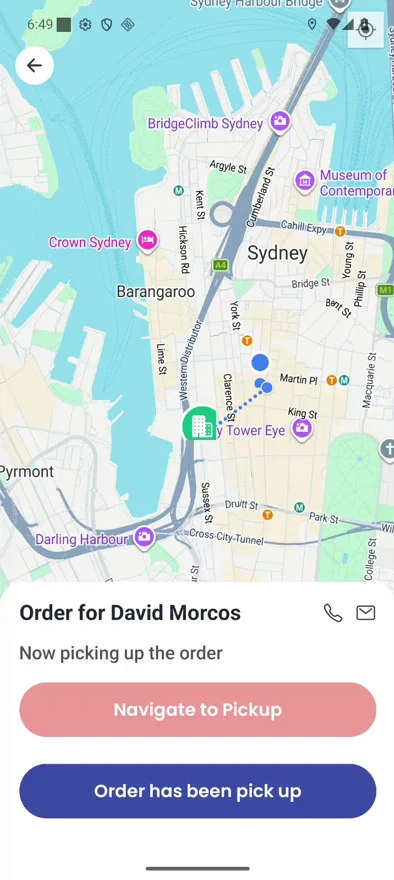
Active drivers receive offers showing the pickup, drop-off and value. After accepting, the app guides them to the pharmacy, then the customer, and ends with a verified handover.
Features
- Active switch and delivery offers with a countdown
- Accept or reject; map preview first
- Navigate to pickup and to drop-off
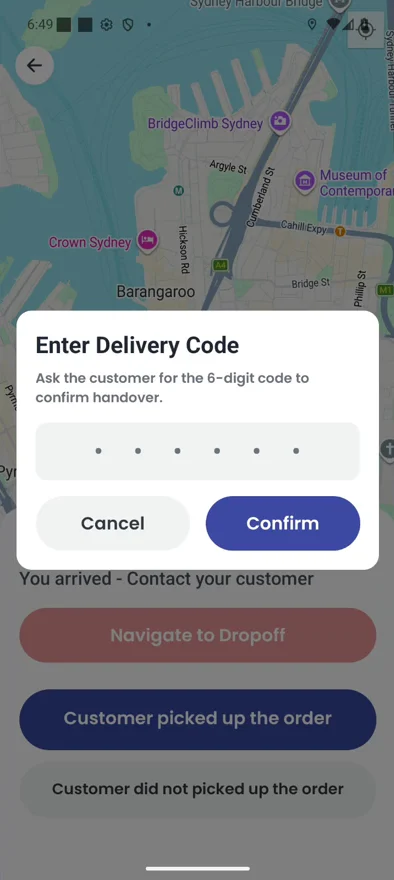
- Signature request and six-digit code check
- Failed-delivery report and return to pharmacy
Benefits
- Drivers choose the work they take
- No guessing addresses or calling for directions
- Proof of delivery protects the driver
- A clear path when nobody is home
Across all three apps
Signed, coded, delivered
Medicine only changes hands when the customer has signed and the driver has entered the code that signature unlocks.
Delivery handover
How handover works at the door
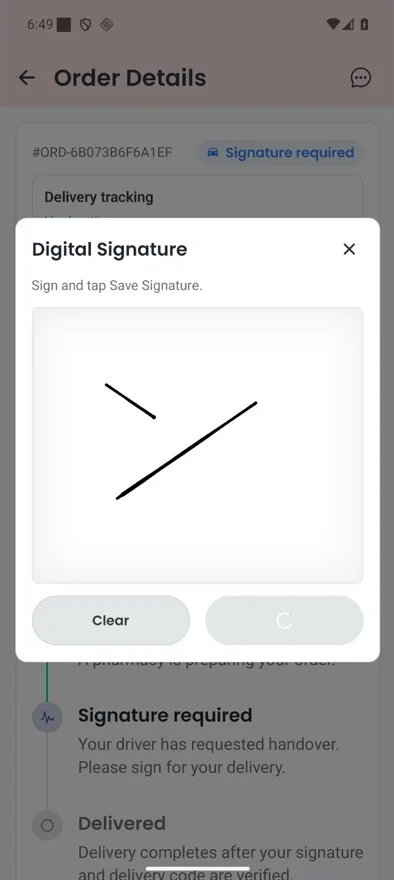
- The driver taps Customer picked up the order. The customer receives Signature required.
- The customer signs on their phone. No code exists until the signature is saved.
- The customer's app then shows a six-digit code that only they can see.
- The driver enters the code. A wrong code is rejected and the order stays out for delivery.
- The correct code completes the order for the customer, pharmacy, driver and Admin at once.
Benefits
- A signature and a code on record for every delivery
- Fewer "I never received it" disputes
Operations
MedHub Admin
One portal to approve partners, run the catalogue and see every order.
MedHub Admin
Oversight without phone calls
Features
- Approve or reject pharmacy and driver applications
- Search any order; see payment, prescription and delivery together
- Assign or reassign a pharmacy or driver
- Live map of pickup, drop-off and driver
- Disputes and failed-delivery reports
- Catalogue sync, CSV pricing and product import
- Transactions report and inbox messages
Benefits
- Every partner is vetted before going live
- Problems can be fixed while the order is moving
- Prices stay controlled centrally
- A complete record for each order
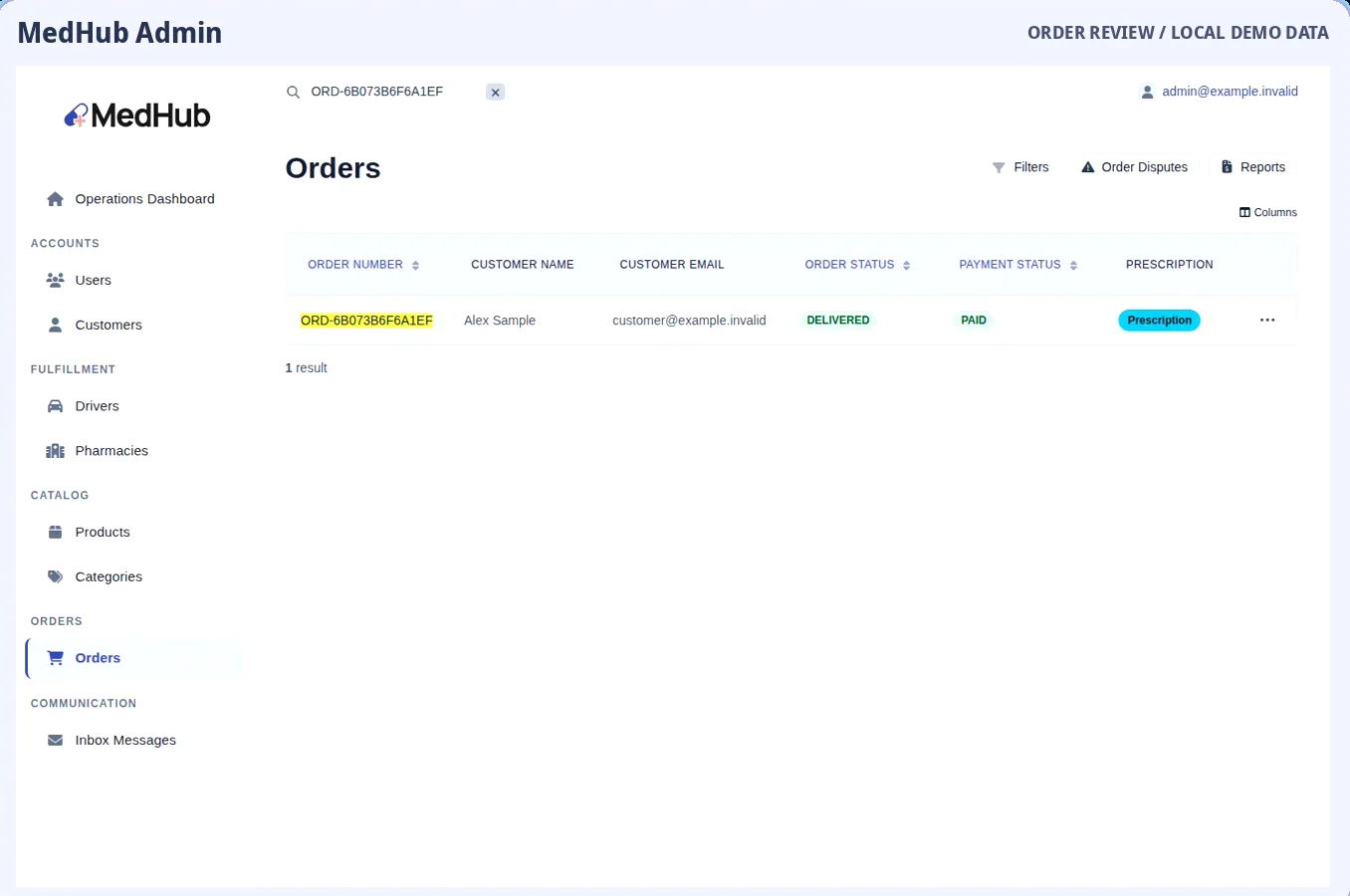
Admin Orders view, shown with local demo data
Walkthrough · 1 minute 28 seconds
One prescription order, start to finish
- Four columns: the workflow, then the customer, pharmacy and driver apps side by side
- Twelve steps from prescription upload to review in MedHub Admin
- Real Android apps on staging, with a test-mode card payment of A$24.75
- Ends with the order Paid, Delivered and handover verified
Fictional prescription and customer data, with Stripe test mode and its public test card. No real charge, dispensing or delivery took place. The delivery code is not shown.
Product walkthrough
MedHub prescription delivery

Thank you
David Morcos · MedHub
medhubapp.com.au · docs.medhubapp.com.au